

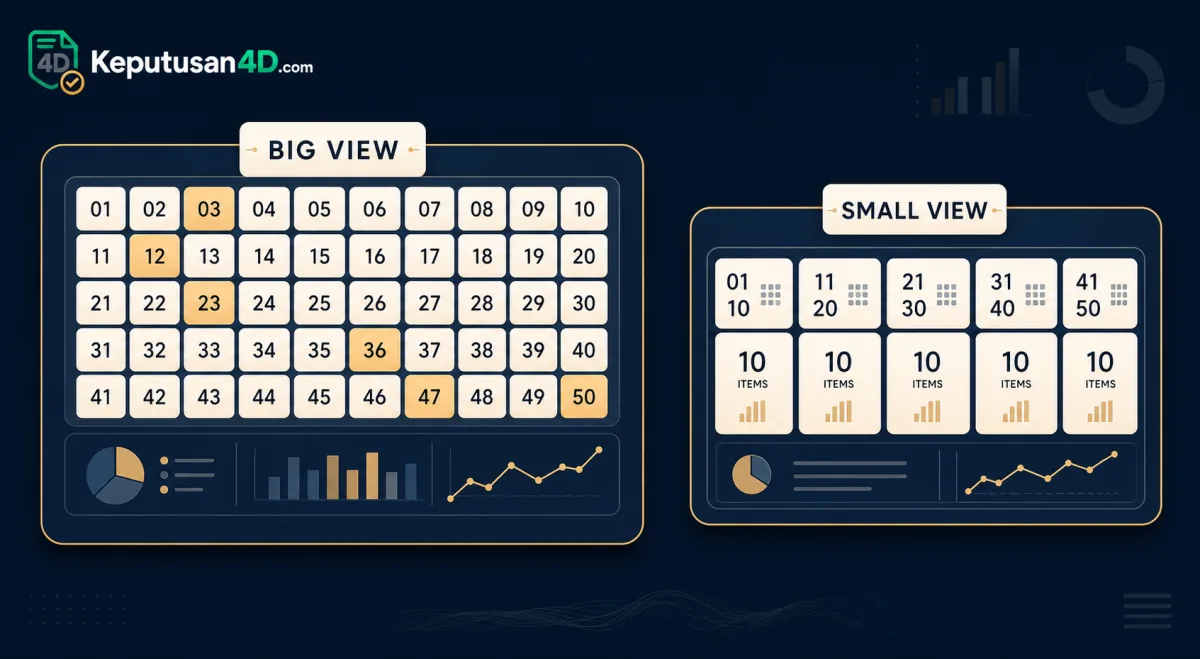
On many published 4D boards, results are presented under two labels: Big (Besar) and Small (Kecil). These labels describe which sections of the published board are shown. They do not describe anything beyond the published board layout — they are simply a way of organising what has already been published, and they are display labels only, not any kind of forecast.
Big and Small are display labels
When you see Big and Small on a board, they tell you how much of the published result is being displayed. They are presentation labels for reading a result, nothing more. The same numbers appear either way; the label only changes how many of the published sections you are looking at. Some operators show both views; others default to one and let you switch.
How Big and Small map onto the board
The clearest way to see the two labels is side by side. In the example board below, the Big view is the full twenty-three positions, while the Small view is just the top three highlighted at the top. The digits are dummy placeholders for illustration; they are not a real result.
| Small (top 3) | 1234 | 5678 | 9012 | |||||||
|---|---|---|---|---|---|---|---|---|---|---|
| Big — 1st / 2nd / 3rd | 1234 | 5678 | 9012 | |||||||
| Big — Special (10) | 3456 | 7890 | 2345 | 6789 | 0123 | 4567 | 8901 | 2468 | 1357 | 9753 |
| Big — Consolation (10) | 8642 | 1470 | 2580 | 3690 | 4812 | 5927 | 6033 | 7148 | 8259 | 9360 |
What "Big" (Besar) shows
Under the Big (Besar) label, the board shows all twenty-three published numbers — the top three positions together with the Special and Consolation sections. Big is the full published result in one view.
What "Small" (Kecil) shows
Under the Small (Kecil) label, the board shows only the top three published numbers — the 1st, 2nd and 3rd positions. Small is the shortest view of the board, useful when you only need the headline positions.
How the two views relate
The key thing to remember is that Big and Small are not two different results — they are two views of the same published board. The top three numbers that appear in the Small view are exactly the same top three that sit at the head of the Big view. Switching from Small to Big does not change any number; it only reveals the Special and Consolation sections that the Small view leaves out. So if you read the Small view and later open the Big view, the first three numbers will match, with twenty more shown below them.
When each view is useful
Knowing which view you are looking at saves time. The Small view is the quickest glance: it shows only the three headline positions, so it is useful when you just want the top of the board. The Big view is the complete record: it shows all twenty-three published positions, so it is what you open when you need the full result, including every Special and Consolation number. Neither view tells you anything the operator has not already published — they simply control how much of the board is on screen at once.
Besar and Kecil — the Malay terms
You will often see these labels in Malay: Besar for Big and Kecil for Small. They mean exactly the same thing as the English labels and appear interchangeably across operators and across our English, Malay and Chinese pages. So a board that reads "Besar" is showing the full twenty-three numbers, and one that reads "Kecil" is showing only the top three — there is no difference in the numbers, only in the language of the label. Both terms also appear in our 4D glossary, where they sit alongside the other words you will meet on a published board.
Big and Small across different operators
You will meet the Big and Small labels — or their Malay equivalents, Besar and Kecil — across many of the operators we cover, from the Wednesday/Saturday/Sunday pools to the daily regional operators. Because the labels describe a board layout rather than anything operator-specific, they mean the same thing wherever you see them: Big is the full board, Small is the top three. That makes them a handy shortcut when you are comparing the same date across several operators in our operators directory — you can stay in the Small view for a fast top-line read, then switch to Big on any operator whose full board you want to see.
Why the labels help when reading results
Knowing the labels lets you scan a published board quickly and jump to the section you want. If you only need the top three, the Small view is enough; for the full published result, the Big view shows everything. Because these are display labels and not forecasts, they tell you nothing about the numbers themselves — only which part of the already-published board you are reading. For a full breakdown of the sections behind these labels, see our result sections guide, and to read a live board visit the homepage.
FAQ
What does Big mean on a 4D board?
Under the Big (Besar) label, the board shows all twenty-three published numbers — the top three plus the Special and Consolation sections.
What does Small show?
Under the Small (Kecil) label, the board shows only the top three published numbers — the 1st, 2nd and 3rd positions.
Are Big and Small forecasts or tips?
No. Big and Small are display labels that describe which sections of the already-published board are shown. They tell you nothing about the numbers; they only change how much of the board you are reading.
What do Besar and Kecil mean?
Besar is the Malay word for Big and Kecil is the Malay word for Small. They label the same views as the English terms and appear interchangeably.